
Choosing a powerful graphics card is important when building a gaming PC, especially if you want to enjoy modern games at 4K resolution. Higher resolutions provide sharper images, more detailed textures, and a more immersive gaming experience. However, they also require significantly more graphics processing power than 1080p or 1440p gaming. This is why high-end GPUs attract gamers who want excellent performance without sacrificing visual quality. 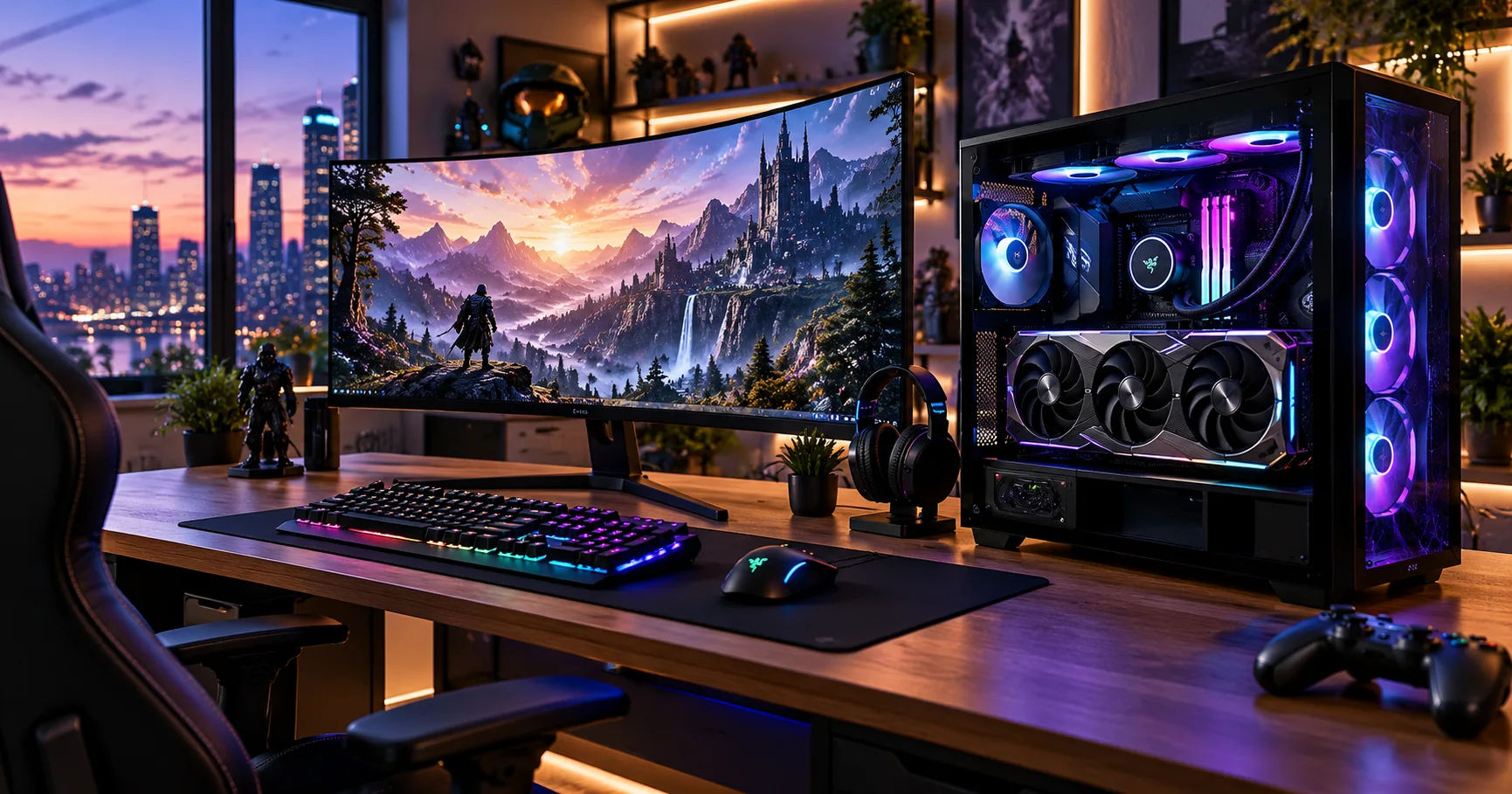 The graphic card 5090 is designed for enthusiasts who want exceptional gaming performance, advanced graphics features, and the ability to handle demanding modern titles. With its powerful architecture, large video memory capacity, and support for advanced rendering technologies, it is positioned as a premium option for players who want to experience 4K gaming at high settings. Whether you enjoy competitive shooters, open-world adventures, racing simulators, or visually demanding role-playing games, this GPU offers the hardware needed for an impressive gaming setup.
However, buying a flagship graphics card involves more than looking at specifications or benchmark numbers. You also need to consider your monitor, processor, power supply, cooling system, budget, and preferred games. Understanding these factors will help you decide whether this GPU is the right investment for your gaming needs.
4K Gaming
4K gaming refers to playing games at a resolution of 3840 × 2160 pixels. This resolution contains approximately four times as many pixels as Full HD, which uses 1920 × 1080 pixels.
The additional pixels make objects appear sharper, improve fine details, and create a more realistic visual experience. You can notice the difference in textures, distant scenery, character models, shadows, and other graphical elements.
However, rendering more pixels requires considerably more work from the graphics card. A GPU must process complex scenes, lighting effects, reflections, textures, and animations while maintaining a smooth frame rate.
For many modern games, a 4K gaming setup benefits from a powerful graphics card with substantial video memory and efficient rendering capabilities. A flagship GPU can make it easier to enjoy high graphical settings without constantly reducing image quality to maintain performance.
Why the Graphic Card 5090 Is Suitable for 4K Gaming
The NVIDIA GeForce graphic card 5090 is a flagship desktop graphics card built on NVIDIA's Blackwell architecture. It targets demanding gaming, professional graphics workloads, and other applications that benefit from substantial GPU performance.
Several features make it particularly attractive to 4K gamers.
Powerful Graphics Processing
Modern games rely on complicated visual effects to create realistic environments. Detailed environments, advanced lighting, complex character models, and high-resolution textures all place demands on a graphics card.
The RTX 5090 offers substantial processing resources for handling these workloads. This allows gamers to use demanding graphics presets in supported titles while aiming for smooth gameplay.
The exact frame rate depends on the game, the graphics settings, the processor, and whether technologies such as ray tracing or frame generation are enabled. Nevertheless, the card is designed for the upper end of the gaming market.
Large Video Memory Capacity
The RTX 5090 includes 32GB of GDDR7 video memory. VRAM stores graphics data that the GPU needs to access quickly, including textures, rendering resources, and other game assets.
At 4K resolution, high-quality textures and advanced graphical effects can increase memory requirements. Games with detailed environments and extensive texture packs may benefit from having more available VRAM.
The card's 32GB capacity provides considerable headroom for demanding games and certain creative workloads. However, more VRAM does not automatically guarantee higher frame rates. The GPU's processing power, memory bandwidth, game optimization, and software configuration also affect performance.
Advanced Rendering Technologies
The RTX 5090 supports technologies designed to improve image quality and performance. These include ray tracing, DLSS, and frame generation features available in supported games.
Ray tracing simulates the behavior of light to produce more realistic reflections, shadows, and illumination. Although these effects can improve visual quality, they can also reduce performance considerably.
DLSS uses AI-based techniques to help improve rendering performance and image quality. Depending on the game and the selected settings, compatible frame generation features can create additional displayed frames.
These technologies are particularly useful when playing demanding games at 4K resolution, where rendering every frame at native resolution with maximum graphical settings can be expensive.
Expected Performance at 4K Resolution
Performance is one of the most important considerations when deciding whether a premium graphics card is worth buying. Although specifications provide useful information, actual gaming performance depends on the title, graphics settings, and system configuration.
Gaming at Ultra Settings
Ultra settings typically enable the highest or nearly highest graphics options available in a game. These may include detailed textures, advanced shadows, realistic reflections, and improved environmental effects.
The RTX 5090 is designed to handle demanding 4K gaming workloads at high settings. In many games, it can deliver a strong native-resolution experience, although performance varies significantly between titles.
Less demanding games may run at very high frame rates, while graphically intensive releases with extensive ray tracing can require additional performance optimizations.
If your goal is to enjoy detailed visuals without routinely lowering graphics settings, this GPU is a compelling option.
Gaming With Ray Tracing Enabled
Ray tracing can transform the appearance of a game by improving reflections, lighting, and shadows. For example, reflective surfaces may show more realistic surroundings, while indoor environments can display more natural lighting.
However, enabling ray tracing increases the workload on the GPU. Some games are especially demanding when they use advanced path tracing, which simulates lighting effects more extensively.
The RTX 5090 offers powerful hardware for these situations, but native 4K rendering with every ray-tracing option enabled can still be challenging.
Using DLSS and compatible frame generation features can help maintain a smoother experience. The best configuration depends on whether you prioritize image quality, responsiveness, or maximum frame rates.
High Refresh Rate Gaming
A 4K monitor does not automatically provide a smooth gaming experience. Refresh rate also matters.
A 60Hz monitor refreshes its image up to 60 times per second, while a 120Hz or 144Hz monitor can display substantially more frequent updates.
The RTX 5090 is attractive to gamers who want to combine 4K resolution with high refresh rates. However, reaching 120 or 144 frames per second depends on the individual game and its settings. Some demanding titles will require upscaling, frame generation, or reduced graphical settings to approach these targets.
Competitive games and lighter titles are generally easier to run at very high frame rates than visually intensive single-player games.
How the RTX 5090 Compares With Other Graphics Cards
Understanding the alternatives can help you determine whether the extra cost of a flagship GPU is justified.
|
Graphics card |
Video memory |
General 4K gaming position |
|---|---|---|
|
NVIDIA GeForce RTX 5090 |
32GB GDDR7 |
Flagship performance |
|
NVIDIA GeForce RTX 5080 |
16GB GDDR7 |
High-end 4K gaming |
|
NVIDIA GeForce RTX 5070 Ti |
16GB GDDR7 |
Strong high-resolution option |
|
NVIDIA GeForce RTX 5070 |
12GB GDDR7 |
More budget-conscious gaming |
These cards differ in processing power, memory capacity, power consumption, and pricing. Their performance also varies by game, so the table should be treated as a broad product-positioning comparison rather than a precise benchmark ranking.
RTX 5090 vs. RTX 5080
The RTX 5080 can be a sensible choice for gamers who want a powerful 4K experience without paying for the highest-tier GPU. It offers 16GB of GDDR7 memory and supports NVIDIA's modern rendering technologies.
The RTX 5090 provides more video memory and substantially greater hardware resources. This makes it particularly appealing for demanding ray-traced games, high-resolution workloads, and users who want the highest available performance within this product family.
Whether the difference justifies the price depends on your games, monitor, and budget.
RTX 5090 vs. RTX 5070 Ti
The RTX 5070 Ti targets users who want strong gaming performance while spending less than they would on a flagship card.
It can deliver enjoyable 4K gaming, particularly when settings are adjusted appropriately. However, gamers seeking maximum graphics settings, demanding ray tracing, or higher frame rates across a broad range of titles may benefit from the additional performance offered by the RTX 5090.
For someone primarily playing less demanding games, the less expensive option may provide better value.
Is the Most Expensive GPU Always Better?
A faster graphics card can improve performance, but that does not mean every gamer needs one.
If you primarily play esports titles at 1080p, you may not benefit enough from a flagship GPU to justify its cost. Similarly, a 1440p gamer with a 165Hz monitor may already have an excellent experience with a less expensive card.
The RTX 5090 makes the most sense when you can use its additional capabilities regularly, particularly for demanding 4K games, advanced graphics, or GPU-intensive creative applications.
The Importance of DLSS for 4K Gaming
Deep Learning Super Sampling, commonly known as DLSS, is an important feature for modern NVIDIA graphics cards.
It uses AI-assisted rendering techniques to improve performance while aiming to preserve image quality. Supported versions and features vary by game and GPU generation.
How DLSS Works
In supported games, DLSS can render an image internally at a lower resolution and reconstruct a higher-resolution output. This reduces some of the work required to produce each frame.
For example, a game targeting a 4K output may render certain image information at a lower internal resolution before reconstructing the final image. The exact rendering mode depends on the selected DLSS setting.
DLSS can be especially helpful when playing games with expensive visual effects. It may allow you to retain more graphical detail while improving performance compared with native rendering under similar conditions.
Frame Generation and Smoothness
Frame generation creates additional frames between conventionally rendered frames in supported configurations. This can make motion appear smoother, particularly when the original rendering performance is already reasonably strong.
However, generated frames are not identical to conventionally rendered frames. Displayed frame rates can increase without an equivalent improvement in input responsiveness.
For competitive games, responsiveness and consistent frame delivery remain important. For cinematic single-player games, smoother displayed motion may be a worthwhile trade-off.
The RTX 5090's support for modern NVIDIA AI rendering features makes it well suited to experimenting with these options at 4K.
Choosing the Right 4K Gaming Monitor
Even a powerful graphics card cannot deliver its full visual potential if the monitor is unsuitable for your needs.
Resolution and Refresh Rate
A 3840 × 2160 monitor is required to experience native 4K gaming. When selecting a display, consider both its resolution and refresh rate.
A 60Hz monitor may be suitable for casual gaming and cinematic experiences. A 120Hz, 144Hz, or faster monitor can provide smoother motion when the game and system deliver enough frames.
If you are investing in a premium GPU, pairing it with a quality high-refresh-rate 4K monitor helps you take greater advantage of the hardware.
Adaptive Sync Support
Adaptive sync technologies, including compatible implementations of NVIDIA G-SYNC and VESA Adaptive-Sync, help synchronize the monitor's refresh behavior with frame delivery.
This can reduce visible tearing and improve perceived smoothness when frame rates fluctuate.
Check the monitor's supported refresh range, connection requirements, and compatibility before purchasing. A suitable display can make a noticeable difference to the overall gaming experience.
HDR and Image Quality
High Dynamic Range, or HDR, can improve the range of brightness and color displayed in supported content.
However, HDR performance varies considerably between monitors. Peak brightness, local dimming, contrast, and color reproduction all influence the results.
A good 4K HDR monitor can complement a powerful GPU by making supported games look more vibrant and realistic.
System Requirements for the RTX 5090
Buying a flagship GPU is only one part of building a capable gaming PC. Your other components must support its performance, and your case must have enough room to accommodate the card.
Choosing the Right Processor
A powerful CPU helps prepare game instructions, manage background tasks, and maintain consistent frame delivery.
At 4K resolution, games often place a heavier load on the GPU than they do at lower resolutions. This can reduce CPU bottlenecks in many graphically demanding situations, but it does not eliminate them.
Games with complex simulations, large numbers of characters, or high frame-rate targets may remain processor-intensive.
Pairing the RTX 5090 with a modern, high-performance gaming CPU is a sensible approach. Before upgrading your processor, check independent benchmarks for the games you play, because the benefit of a CPU upgrade varies by title and settings.
Power Supply Requirements
The RTX 5090 has a rated total graphics power of approximately 575 watts. That is a substantial amount of power for a single graphics card.
NVIDIA specifies a 1,000-watt system power supply recommendation for the Founders Edition configuration, although actual requirements can depend on the full system and the particular card model.
A high-quality power supply with appropriate capacity, suitable connectors, and adequate transient-power handling is essential.
Do not select a PSU based only on its advertised wattage. Check the manufacturer's recommendations for your exact GPU, the processor's power requirements, and the quality of the power supply itself.
Use the correct power cable or approved adapter, follow the installation instructions, and ensure the connector is fully seated. Avoid sharply bending the cable close to the connector.
Case Compatibility and Cooling
Flagship graphics cards can be large and heavy. Some models occupy multiple expansion slots and require substantial clearance.
Before purchasing, measure your case and compare its available GPU length, thickness, and power-cable clearance with the dimensions of the exact card model.
Cooling is equally important. A case with good airflow helps move warm air away from the GPU and other components. Poor ventilation can increase temperatures and fan noise, potentially reducing sustained performance.
Make sure the case has appropriate intake and exhaust airflow, and avoid obstructing the graphics card's fans.
Storage and System Memory
Modern games can consume substantial storage space, particularly when they include large textures, expansive maps, and high-resolution assets.
A fast NVMe SSD is a sensible choice for a high-end gaming PC because it supports quick loading and responsive system operation.
System RAM also matters. Although the RTX 5090's 32GB of VRAM is substantial, it does not replace the computer's main memory.
For a new high-end gaming build, 32GB of system RAM is a practical starting point for many users. More may be useful for specialized workloads, heavy multitasking, or certain demanding applications.
How to Get the Best 4K Gaming Performance
Even a powerful graphics card benefits from sensible configuration. A few adjustments can help you balance visual quality, responsiveness, and frame rates.
Update Graphics Drivers
Graphics drivers provide software support for games and GPU features. Updates may introduce game-specific optimizations, bug fixes, compatibility improvements, and performance changes.
Install drivers from NVIDIA's official channels or your graphics card manufacturer's recommended sources.
If you encounter unexpected crashes, visual glitches, or poor performance, check whether a driver update or a known compatibility issue could explain the problem.
Adjust Graphics Settings Carefully
Ultra settings are not always the best choice for every game. Some options have a large performance cost but offer only a small visual improvement.
Ray-traced reflections, path tracing, volumetric effects, and certain shadow settings can be particularly demanding.
Try adjusting individual options instead of immediately reducing the entire graphics preset. You may be able to preserve the details that matter most to you while improving performance.
Texture settings are also worth considering, although the best choice depends on the game and available VRAM.
Use DLSS When Appropriate
If a demanding title does not achieve your desired frame rate at native 4K, experiment with the available DLSS modes.
Higher-quality reconstruction settings may preserve more detail, while more performance-oriented modes can provide larger performance gains at the cost of additional image reconstruction artifacts.
Compare the results during actual gameplay rather than relying only on the displayed frame rate.
Monitor Temperatures and Performance
Monitoring tools can help you understand whether the GPU is operating as expected.
Useful measurements include GPU utilization, temperature, clock speed, power consumption, and frame-time consistency.
If the graphics card is frequently underutilized, the limitation may be elsewhere in the system. Potential causes include a CPU bottleneck, a frame-rate cap, a game engine limitation, or an incorrect configuration.
Avoid assuming that a high temperature automatically indicates a fault. Compare operating temperatures with the specifications for your exact model and investigate unusual noise, instability, or unexpected performance loss.
Keep the System Clean
Dust can restrict airflow and interfere with cooling. Periodically inspect case filters, fans, and ventilation areas.
Keep the computer in a reasonably ventilated location, and avoid placing it against a surface that blocks intake or exhaust vents.
Routine maintenance helps preserve cooling performance and can reduce unnecessary fan noise over time.
Which Games Benefit Most From a Flagship 4K GPU?
The value of the RTX 5090 depends partly on the types of games you enjoy.
Open-World and Adventure Games
Large open-world games often feature expansive landscapes, detailed cities, complex weather, and many objects on screen.
These environments can benefit from high-resolution textures and advanced lighting. A powerful GPU helps deliver detailed visuals while maintaining a smooth experience at 4K.
Racing and Simulation Games
Racing games benefit from detailed roads, realistic vehicle reflections, environmental effects, and smooth motion.
Flight simulators and other demanding simulations can also place heavy loads on both the CPU and GPU. In these cases, the graphics card is important, but overall system balance remains essential.
Competitive Shooters
Competitive shooters often prioritize low latency and high frame rates over maximum visual detail.
The RTX 5090 can be useful for gamers who want to combine 4K resolution with a high-refresh-rate display. Nevertheless, a lower graphics setting may be preferable if it improves responsiveness or helps maintain a more consistent frame rate.
Ray-Traced and Path-Traced Games
Games with extensive ray tracing or path tracing can benefit substantially from powerful GPU hardware and modern reconstruction technologies.
These titles are among the strongest reasons to consider a flagship card. Even so, maximum settings may require DLSS or other supported performance features to achieve a preferred level of smoothness.
Is the Graphic Card 5090 Worth the Price?
Performance is only one part of the buying decision. The cost of a flagship graphics card can be significant, and you should consider the value it provides over several years.
Consider Your Budget
The RTX 5090 belongs to the premium segment of the GPU market. Its purchase price is only one part of the total cost of a complete gaming system.
You may also need a suitable power supply, a spacious case, improved cooling, a compatible processor, and a high-quality 4K monitor.
Before buying, compare the complete cost of the build against your actual gaming requirements. A less expensive GPU paired with an excellent monitor may offer a more satisfying experience for some players.
Think About Long-Term Use
A powerful GPU can provide additional performance headroom as games become more demanding. Its 32GB of VRAM also offers substantial capacity for high-resolution textures and other graphics-intensive tasks.
However, no graphics card guarantees that every future game will run at maximum settings indefinitely. Performance requirements change, and new rendering techniques can introduce additional demands.
Buy the card because its current capabilities meet your needs, rather than relying entirely on predictions about future games.
Consider Warranty and Availability
When purchasing a high-end graphics card, buy from a reputable retailer and verify the warranty terms.
Different manufacturers sell their own RTX 5090 models with varying cooling systems, dimensions, factory clock settings, and prices. Check the exact model rather than assuming all versions have identical physical characteristics.
If you are buying internationally, also consider warranty coverage, shipping costs, local taxes, and return policies.
Common Mistakes to Avoid When Buying an RTX 5090
Several mistakes can reduce the value of an otherwise excellent gaming setup.
-
Ignoring monitor quality: A high-end GPU paired with an unsuitable display may not deliver the experience you expect.
-
Choosing an inadequate power supply: A quality PSU with the correct capacity and connectors is essential for reliable operation.
-
Overlooking physical dimensions: Always check GPU clearance and cable space before purchasing.
-
Expecting identical performance in every game: Different engines, graphics settings, and optimization methods produce different results.
-
Confusing generated frames with rendered frames: Frame generation can improve visual smoothness, but displayed frame rates do not directly measure input responsiveness.
-
Paying for performance you rarely use: If you play lightweight games at 1080p, a flagship GPU may be unnecessary.
-
Neglecting cooling: Good case airflow helps maintain stable performance and reasonable noise levels.
Avoiding these mistakes helps you build a balanced system that takes advantage of the graphics card without spending money unnecessarily.
Conclusion
So, is the graphic card 5090 good for 4K gaming? Yes, the NVIDIA GeForce RTX 5090 is an exceptionally powerful choice for 4K gaming, especially for enthusiasts who want high graphical settings, advanced ray tracing, substantial video memory, and strong performance in demanding modern titles.
Its 32GB of GDDR7 memory, Blackwell architecture, and support for modern DLSS technologies make it attractive for gamers who want excellent image quality and additional performance headroom. It is particularly well suited to demanding open-world games, visually intensive adventures, racing simulations, and titles that benefit from advanced lighting effects.
However, the best experience depends on the entire computer. A capable processor, an appropriate power supply, effective cooling, sufficient case clearance, and a quality 4K monitor all contribute to a successful build. DLSS and frame generation can also help you balance image quality and smoothness when native 4K rendering becomes demanding.
The main consideration is value. If you want a premium gaming experience and have the budget to support a complete high-end system, the RTX 5090 is an excellent option to consider. If you primarily play less demanding games or prefer to spend less, a more affordable graphics card may provide better value.
Ultimately, choose a GPU based on your preferred games, target resolution, refresh rate, and budget. For gamers who want to push 4K graphics performance to an exceptionally high level, the RTX 5090 stands among the most capable choices available in its generation.